What are the different history sort orders?
What is the difference between frequently, frecency, recently, etc.

Everything you need to know about KISS launcher.
Each contact in KISS has two buttons on its right. By default, the left one sends an SMS and the right one calls the contact.
You can make these buttons open another app instead, such as WhatsApp, Signal, Telegram or your email app:
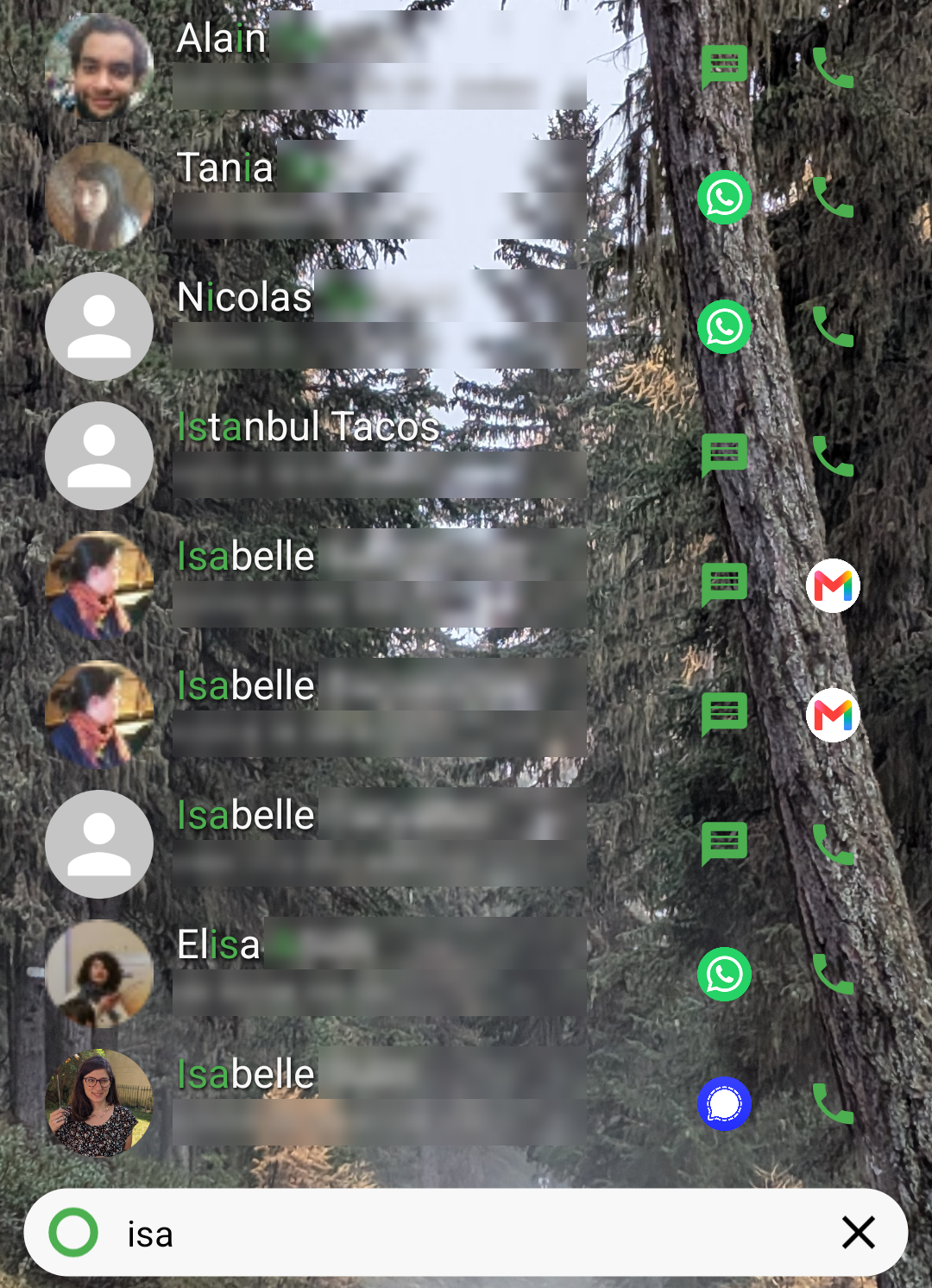
Navigate to ⋮, KISS settings, Search, Contacts, Contact actions, then pick the app you want for the Left button and the Right button. You can also choose Nothing to hide a button.
The app is only used for contacts that are available in it. For the other contacts, the left button falls back to SMS and the right button to Call. In the screenshot above, the left button opens WhatsApp for contacts using WhatsApp, and sends an SMS to everyone else.
The right button never repeats the left one: when both would open the same app for a contact, the right button falls back to Call.
Long press one of the buttons next to a contact, and select the app to use for this contact only. Select Default to go back to your global setting.
In the screenshot above, one contact uses Signal, and the email app replaces the call button for another.